

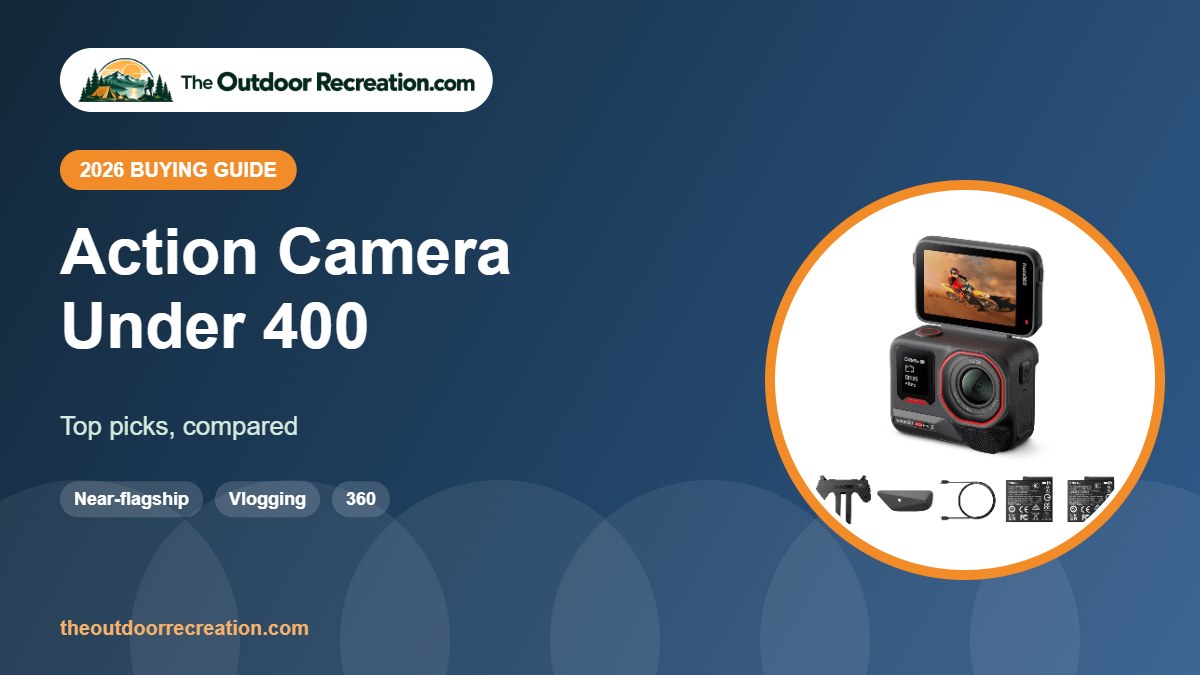
Under 400 dollars you can reach near-flagship image quality, 360 cameras and extended battery kits.
Every camera here was listed at or below 400 dollars on Amazon when we checked. Prices change often, so confirm the current price before you buy.
The Outdoor Recreation is reader-supported. As an Amazon Associate we earn from qualifying purchases, at no extra cost to you.
Quick Picks
- Best overall: Insta360 Ace Pro 2
- Best battery kit: DJI Osmo Action 4 Adventure Combo
- Best 360: Insta360 X4 Air
- Best POV camera: Insta360 GO 3S Motorcycle In-Helmet Bundle
- Best GoPro: GoPro HERO12 Black
Comparison Table
| Product | Best for | Video | Standout feature | |
|---|---|---|---|---|
| Insta360 Ace Pro 2 | Best overall | 8K30, 1/1.3″ | Leica lens, flip screen | View |
| DJI Osmo Action 4 Adventure Combo | Best battery kit | 4K/120 | 3 batteries, long recording | View |
| Insta360 X4 Air | Best 360 | 8K 360°, 165 g | Lightweight | View |
| Insta360 GO 3S Motorcycle In-Helmet Bundle | Best POV camera | 4K POV | In-helmet mount | View |
| GoPro HERO12 Black | Best GoPro | 5.3K60 | HDR video and photo | View |
Detailed Reviews

1Insta360 Ace Pro 2 pairs a 1/1.3-inch 8K sensor with a Leica SUMMARIT lens, 13.5 stops of dynamic range and a 2.5-inch flip touchscreen. This bundle includes two batteries.
The flip screen makes it great for vlogging, and 4K60 Active HDR helps with harsh light.
Pros & Cons
What we like
- Leica lens
- Flip screen
- Dual batteries
Watch out for
- Premium
- Bulkier than GoPro
Key Specs
- Sensor: 1/1.3 in
- Video: up to 8K30, 4K60 Active HDR
- Screen: 2.5 in flip

2The Adventure Combo adds extra batteries for up to about 8 hours of total recording, according to DJI, plus a battery case.
It is our pick for long days when you need battery life above all.
Pros & Cons
What we like
- Extra batteries
- Long total runtime
- Same strong sensor
Watch out for
- Bulkier kit
- Costs more
Key Specs
- Batteries: 3
- Video: 4K/120fps

3The X4 Air is a lighter 360 camera at about 165 grams, with 8K 360 video and the invisible selfie stick effect.
It is our pick for travel and hiking when weight matters more than the very best low-light performance.
Pros & Cons
What we like
- Very light
- 8K 360 video
- Replaceable lens design
Watch out for
- Smaller battery than X5
- Less low-light detail
Key Specs
- Weight: ~165 g (brand)
- Video: 8K 360°
- Feature: invisible selfie stick

4This bundle pairs the tiny Insta360 GO 3S with an in-helmet POV mount. The Action Pod adds a 2.2-inch flip screen and up to 140 minutes of battery life.
It records a true first-person view from inside a full-face helmet.
Pros & Cons
What we like
- True rider POV
- Tiny camera
- Flip screen pod
Watch out for
- Mount must not affect helmet fit
- Limited battery in camera alone
Key Specs
- Video: 4K
- Battery: up to 140 min with pod
- Mount: in-helmet
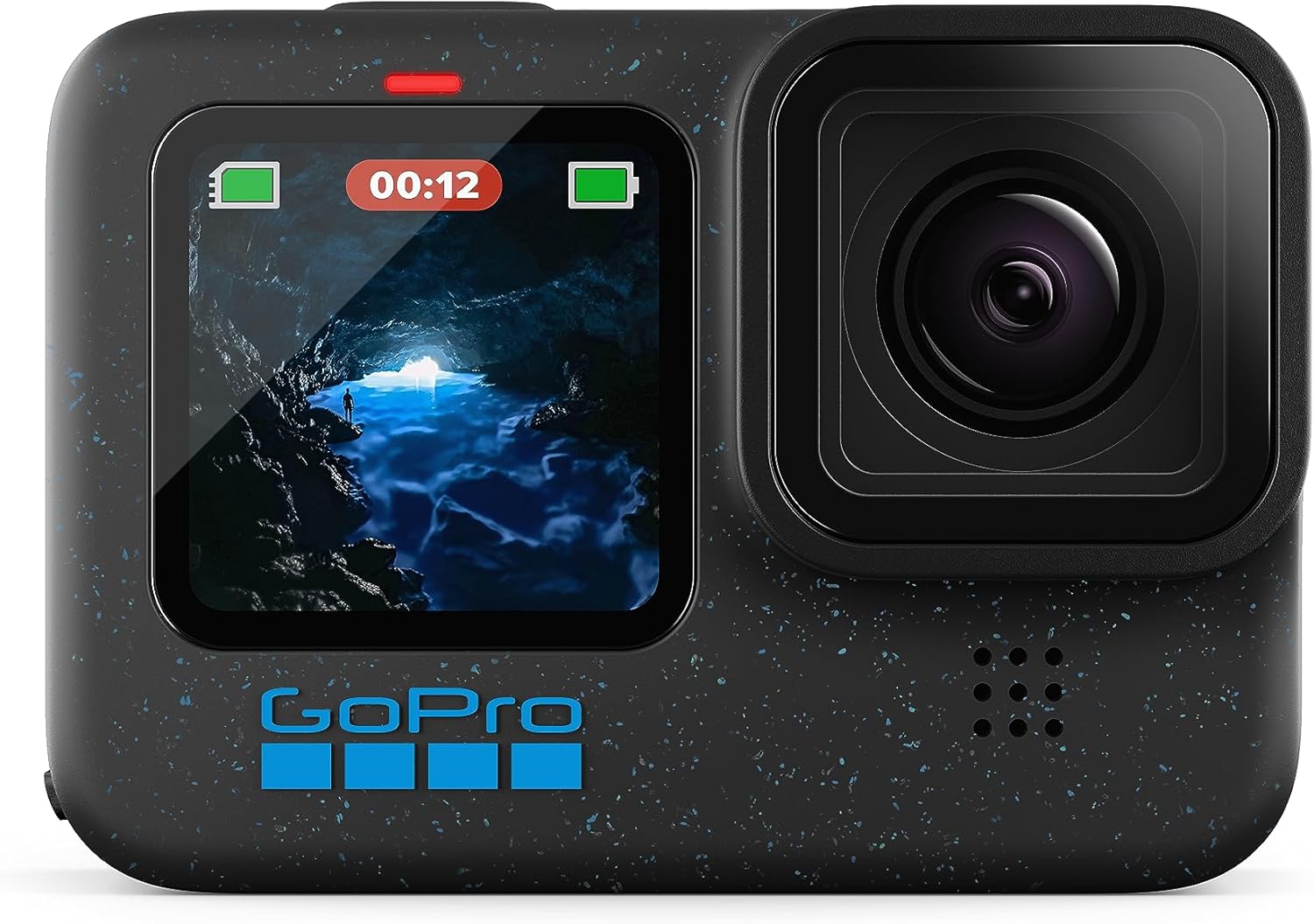
5GoPro HERO12 Black records 5.3K60 video with HDR for both video and photos, which helps in scenes with bright sky and deep shadow.
It is a strong previous-generation flagship.
Pros & Cons
What we like
- HDR video
- Proven HyperSmooth
- Huge accessory ecosystem
Watch out for
- Superseded by HERO13
- No built-in GPS
Key Specs
- Video: 5.3K60
- HDR: video and photo
How We Chose
We compared sensors, video modes, stabilization, waterproofing, battery options and mounting ecosystems across dozens of cameras, then read verified owner feedback to find reliability and usability issues that spec sheets miss. We did not receive free products, and we do not claim hands-on testing. TOR Scores combine published specs, verified owner feedback and overall value.
What You Get at Each Price Level
Price brackets change often, but the pattern is consistent:
- Entry-level: 4K at 30 fps, basic stabilization, a waterproof case and many accessories. Fine for casual use in good light.
- Mid-range: better sensors, waterproof bodies without a case, stronger stabilization and front screens for vlogging.
- Flagship: larger sensors, 4K at 120 fps, 10-bit color, the best stabilization and the most reliable apps.
If you film often in low light, at speed or for paid work, spending more makes a visible difference. For occasional trips, an entry-level camera covers the basics.
How to Choose an Action Camera
An action camera is a small, rugged camera built to be mounted on helmets, handlebars, chests and boards. The best one for you depends on what you film and how you will edit.
- Sensor size: larger sensors (1/1.3 inch and up) handle low light, sunsets and shade much better than small budget sensors.
- Stabilization: modern electronic stabilization (HyperSmooth, RockSteady, FlowState) makes bumpy footage watchable. Budget cameras use simpler EIS.
- Resolution and frame rate: 4K at 60 fps is plenty for most people; 4K at 120 fps lets you slow down fast action.
- Waterproofing: many flagship cameras are waterproof without a case to about 10 meters or more; budget models often need the included housing.
- Battery: cold weather drains batteries fast, so look for spare batteries or extended-battery bundles.
- Mounts and ecosystem: GoPro-style mounts are the most common; magnetic quick-release mounts save time.
- App and editing: a good phone app makes it easy to trim, reframe and share.
Related guides: best action camera under 300, best action camera under 5000, best action camera for the money, best action camera. See every pick in our Action Cameras category.
Common Action Camera Mistakes
- Using a slow memory card. Recording stops or files corrupt. Use a card the maker recommends.
- Forgetting a lens guard. Scratches are permanent and ruin footage.
- Mounting too loosely. Vibration causes jello and lost cameras. Tighten and tether mounts.
- Recording everything at maximum settings. 8K or 5.3K fills cards and drains batteries quickly; choose 4K for most clips.
- Ignoring audio. Wind noise ruins many clips; use wind reduction or a mic accessory.
- Not updating firmware. Updates often improve stabilization and battery life.
Accessories Worth Buying
- Spare batteries and a charger: the most useful upgrade for long days.
- Fast microSD cards: buy two so you can swap when one fills up.
- Lens guards or protectors: cheap insurance against scratches.
- Chest and helmet mounts: for natural POV shots.
- Floating handle: essential near water.
- Mini tripod or selfie stick: for vlogging and time-lapses.
Action Camera Care and Settings
- Use a fast, high-endurance microSD card rated for 4K recording.
- Update firmware through the app for better stabilization and battery life.
- Keep spare batteries warm in an inside pocket on cold days.
- Use a lens guard; scratched lenses ruin footage.
- For most sports, 4K at 60 fps with stabilization on is a good default.
Mounting Tips for Riders and Athletes
- Use a secure, purpose-made mount and a tether where possible.
- Chest mounts give a natural, stable riding view; helmet mounts show where you are looking.
- Check that mounts do not interfere with your helmet’s fit or your field of view.
- Start recording before you set off, and never adjust the camera while riding.
- Clean the lens and check battery and card space before each session.
Sources and further reading: Leave No Trace: the 7 Principles (respect wildlife and other visitors when filming), National Park Service: the Ten Essentials and NHTSA: bicycle safety. Product specs come from brand listings on Amazon.
Frequently Asked Questions
Are action cameras waterproof?
Many flagship models are waterproof without a case to around 10 meters or more. Budget cameras usually need the included housing. Check the rated depth before swimming or diving.
How long do action camera batteries last?
Typically 1 to 2 hours of recording, less at high resolution, high frame rates or in cold weather. Carry spares for long days.
Do I need a gimbal with an action camera?
Usually not. Modern electronic stabilization is very good. A gimbal still helps for very smooth walking shots or with older cameras.
Which action cameras are best in low light?
Cameras with larger sensors, such as 1/1.3-inch or bigger, and bright apertures do best. Budget cameras with small sensors struggle at dusk and indoors.
What memory card do I need?
A fast microSD card rated V30 or higher is a safe choice for 4K. High-end cameras recording 8K or high bitrates may need faster cards; check the maker’s list.
Final Verdict
Under 400 dollars, the Insta360 Ace Pro 2 is our top pick for image quality and vlogging.
Write Your Review
No reviews yet. Be the first to share your experience!